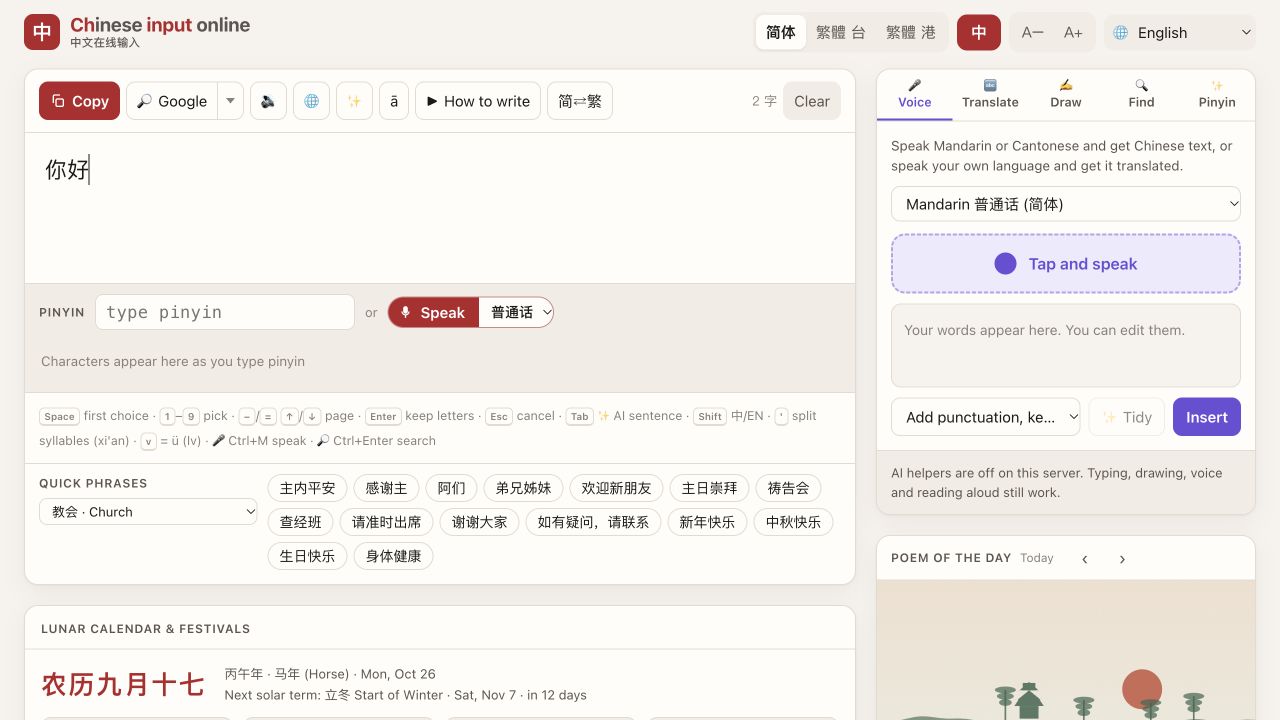
Type Chinese for campus life without installing a keyboard
Need to enter a library search, a dorm message or a delivery note on a shared computer? Here is a small Chinese typing workflow using Chinput .
Useful Chinese words
| Chinese | Pinyin to type | Meaning |
|---|---|---|
| 图书馆 | tushuguan | library |
| 宿舍 | sushe | dormitory |
| 食堂 | shitang | canteen |
| 快递 | kuaidi | parcel/express delivery |
| 老师 | laoshi | teacher |
| 谢谢 | xiexie | thank you |
These are the target characters to look for, not a promise that they will always be the first candidate. Compare university, building and personal names with their official spelling.
Try nihao first: select 你好, then Copy. You can paste it into a message without changing the computer's language settings. For a character you recognise on a campus sign but cannot pronounce, use the handwriting method below.
There is no dedicated campus scene yet. Food & delivery, Places & maps and Renting cover some everyday tasks. In Food & delivery, click 不要辣,不要香菜。 for “Not spicy, no coriander.” Another button inserts 请放门口,不用打电话,谢谢! (“Please leave it at the door, no need to call. Thanks!”). Use that only if it matches your actual instructions.
For long-term study, learning your device's built-in Chinese keyboard is worthwhile. A browser tool is handy when you cannot change that device's settings. What campus words would you want in a student phrase list?
Three ways to enter the text
- Pinyin: type one word or short phrase, check the candidates, then press Space for the first choice or its displayed number for another. If a phrase is wrong, split it into smaller parts. Full Pinyin is easier to check when starting out.
- Handwriting: open Draw and draw one character with a mouse, trackpad or touch screen, lifting between strokes. Select the correct local matching result. Undo removes the last stroke; Clear starts again. This is handwriting matching, not photo scanning.
- Quick phrases: choose the relevant scene below the editor. Its vocabulary gets priority and its phrase buttons insert ready-made text. Edit the result, click Copy, then paste where you need it.
Core Pinyin and handwriting need no account or input-method installation. Optional AI translation is currently disabled. Mainland China access has not been verified; save essential text beforehand.